← All drones, cameras & phones
Drone grading guide · DJI
LUTs for the DJI Avata
Updated
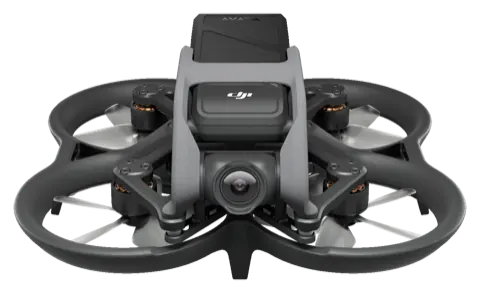
Quick answer
Yes. Drone LUTs work with DJI Avata footage. On Normal footage, apply a look directly. On D-Cinelike footage, first convert to Rec.709 with the Generic Flat LUT in the packs' UTILITY folder, or by adding contrast and saturation by hand (DJI publishes no LUT for D-Cinelike), then add the look on top.
- Colour profiles
- NormalD-Cinelike
- Video
- 4K at 60fps
- Sensor
- 1/1.7-inch, 48 MP
- Photos
- JPEG
How to grade DJI Avata footage
Shoot: Normal for a finished look out of the drone, or D-Cinelike for the most dynamic range.
Convert (D-Cinelike only): apply the Generic Flat LUT in the packs' UTILITY folder, or by adding contrast and saturation by hand (DJI publishes no LUT for D-Cinelike) as the first step, or let your editor's colour management do it. Skip this for Normal footage.
Correct: set exposure and white balance.
Add a look: apply a Drone LUTs look after the conversion and set the strength to taste (60–100%).
Where each LUT goes in your editor: DaVinci Resolve · Premiere Pro · Final Cut Pro · CapCut · LumaFusion · Lightroom (desktop & mobile)
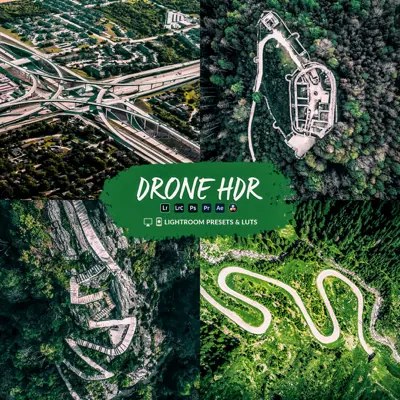
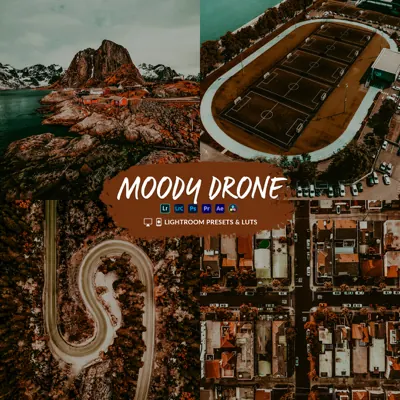
Looks that suit the Avata
Questions
Do Drone LUTs work with the DJI Avata?
Yes. Drone LUTs work with DJI Avata footage. On Normal footage, apply a look directly. On D-Cinelike footage, first convert to Rec.709 with the Generic Flat LUT in the packs' UTILITY folder, or by adding contrast and saturation by hand (DJI publishes no LUT for D-Cinelike), then add the look on top.
Which colour profile should I use on the DJI Avata?
D-Cinelike is a flatter profile that keeps more highlight detail; Normal is ready to use. DJI publishes no conversion LUT for D-Cinelike.
Do the Lightroom presets work with DJI Avata photos?
Yes. The presets work on DJI Avata JPEG photos in Lightroom Classic, Lightroom desktop and Lightroom mobile. RAW gives you the most room to adjust.
Which editing apps can I use?
Any app that loads .cube LUTs, including DaVinci Resolve, Premiere Pro, Final Cut Pro, CapCut on desktop, LumaFusion and VN, plus Lightroom for photos.
Make your Avata footage look cinematic
From $19.99 · instant download
Other drones
Mini 4 Pro · Mini 5 Pro · Air 3S · Mini 4K · Mini 3 Pro · Neo · Mini 3 · Avata 2 · Mavic 3 Pro · Mavic 4 Pro · Air 3 · Mini 2 · Air 2S · Flip · Mavic 3 Classic · Neo 2 · Phantom 4 Pro · Inspire 3 · EVO II Pro
Specs from support.dji.com. Product image: DJI. DJI logo and product names are trademarks of their owners; Drone LUTs is not affiliated with DJI.