
← All drones, cameras & phones
Camera grading guide · DJI
LUTs for the DJI Osmo Action 6
Updated

Quick answer
Yes. Drone LUTs work with DJI Osmo Action 6 footage. On Normal footage, apply a look directly. On D-Log M footage, first convert to Rec.709 with DJI's free D-Log M to Rec.709 LUT for the Osmo Action 6 (Downloads section of its page on dji.com), then add the look on top.
- Colour profiles
- NormalD-Log M
- Video
- 4K up to 120fps, 10-bit in D-Log M
- Sensor
- 1/1.1-inch (square), variable aperture
- Photos
- JPEG
How to grade DJI Osmo Action 6 footage
Shoot: Normal for a finished look out of the camera, or D-Log M for the most dynamic range.
Convert (D-Log M only): apply DJI's free D-Log M to Rec.709 LUT for the Osmo Action 6 (Downloads section of its page on dji.com) as the first step, or let your editor's colour management do it. Skip this for Normal footage.
Correct: set exposure and white balance.
Add a look: apply a Drone LUTs look after the conversion and set the strength to taste (60–100%).
Where each LUT goes in your editor: DaVinci Resolve · Premiere Pro · Final Cut Pro · CapCut · LumaFusion · Lightroom (desktop & mobile)
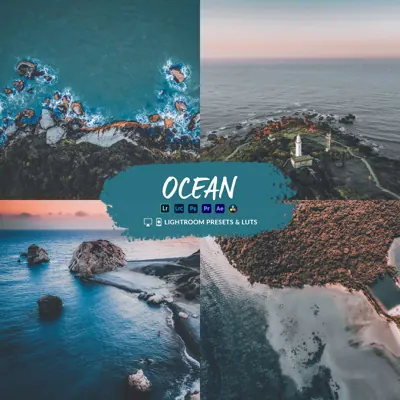
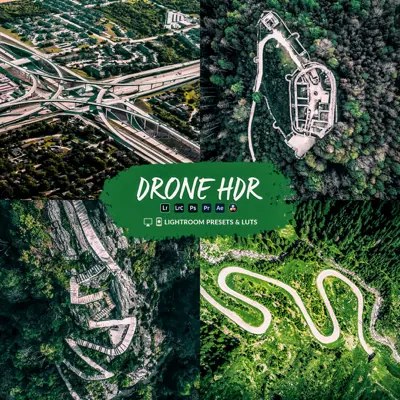
Looks that suit the Action 6

Questions
Do Drone LUTs work with the DJI Osmo Action 6?
Yes. Drone LUTs work with DJI Osmo Action 6 footage. On Normal footage, apply a look directly. On D-Log M footage, first convert to Rec.709 with DJI's free D-Log M to Rec.709 LUT for the Osmo Action 6 (Downloads section of its page on dji.com), then add the look on top.
Which colour profile should I use on the DJI Osmo Action 6?
On the Action 6, use D-Log M when the scene has bright skies and deep shadows (sunrise, sunset, snow, cities at night) and you plan to grade: it keeps the most detail. Use Normal when you want a finished clip quickly or edit in an app that cannot load LUTs. Drone LUTs work on both; D-Log M just needs the conversion step first. Avoid HLG if you are grading for normal (SDR) screens.
Do the Lightroom presets work with DJI Osmo Action 6 photos?
Yes. The presets work on DJI Osmo Action 6 JPEG photos in Lightroom Classic, Lightroom desktop and Lightroom mobile. RAW gives you the most room to adjust.
Which editing apps can I use?
Any app that loads .cube LUTs, including DaVinci Resolve, Premiere Pro, Final Cut Pro, CapCut on desktop, LumaFusion and VN, plus Lightroom for photos.
Make your Action 6 footage look cinematic
From $19.99 · instant download
Other cameras
Pocket 3 · HERO13 · Action 5 Pro · X5 · HERO12 · Ace Pro 2 · HERO11 · Action 4
Specs from dpreview.com. Product image: DJI. DJI logo and product names are trademarks of their owners; Drone LUTs is not affiliated with DJI.